## Sửa chữa thần kỳ đầu máy DVD Sharp: Hồi sinh cỗ máy tưởng chừng bỏ đi!
Hàng xóm tôi có một đầu máy DVD Sharp DV-SL1000W nằm “ngủ quên” suốt thời gian dài vì nhiều sự cố trong nhà. Ông ấy nhờ tôi xem có thể sửa chữa được không. Tôi mang về nhà, tháo rời hoàn toàn, làm sạch và bắt đầu hành trình “hồi sinh” chiếc máy tưởng chừng đã bỏ đi này.
Ban đầu, tôi kiểm tra bo mạch nguồn và phát hiện nhiều mối hàn khô. Các tụ điện ESR cũng không ổn. Tôi thay thế các tụ và hàn lại bo mạch. Kết nối lại các bo mạch và cấp nguồn, DVD hoạt động! Tuy nhiên, vấn đề nằm ở bộ phận motor trượt: âm thanh chập chờn, hình ảnh bị đứng hình. Tôi đã bôi trơn ray và các đầu nối nhưng không hiệu quả.
Sau khi tháo rời cụm khay đĩa, tôi phát hiện một bánh răng nhỏ bị nứt, gây cản trở chuyển động trượt. Tôi thử dùng keo dán nhanh và quấn dây xung quanh, nhưng không thành công. Tôi tìm thấy một bánh răng thay thế từ những chiếc DVD cũ và lắp vào. Nhưng vấn đề vẫn không được giải quyết: chuyển động trượt vẫn không ổn định, âm thanh vẫn chập chờn. Tôi thay thế cả motor trượt, nhưng tình trạng vẫn không cải thiện.
Nghi ngờ bo mạch chủ có vấn đề về nguồn, tôi thay thế tất cả tụ điện điện phân trên bo mạch, ngâm bo mạch trong nước rửa chén vài giờ, thổi khô bằng máy sấy và phơi nắng cả ngày. Bo mạch trông rất sạch sẽ sau khi được làm sạch.
Tôi kết nối lại và thử nghiệm, nhưng sự cố vẫn còn. Tôi nghi ngờ IC điều khiển motor AM5869S. Tôi tháo bỏ và tìm được IC thay thế SA5869S. Thật không may, datasheet của cả hai IC đều không có sẵn. Tôi lắp IC mới vào, và… bo mạch ngừng hoạt động hoàn toàn, không có điện áp nào đến IC điều khiển. Rõ ràng, đó là một IC giả hoặc không tương thích.
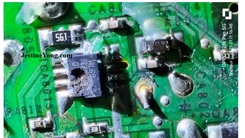
Tôi tháo IC ra, và trong quá trình này, một vài đường dẫn nhỏ xíu bị đứt. Nhiệm vụ tiếp theo là thay thế bo mạch chủ. May mắn thay, tôi có một bo mạch chủ Philips với bộ điều khiển và màn hình do một người bạn kỹ thuật tặng. Tôi kết nối cụm khay đĩa sau khi điều chỉnh lại các kết nối cho phù hợp với bo mạch chủ. Các đầu nối được đặt ngược chiều, vì vậy tôi phải tháo chúng ra, đảo ngược và lắp lại. Nếu không, motor tải, motor trượt, motor trục chính và công tắc khay đĩa sẽ không hoạt động đúng cách.
Tuy nhiên, vẫn có vấn đề: phần mềm không hỗ trợ cụm thấu kính của khay đĩa này, và cứ hiện ra lỗi “no disk”. Tôi có vài thấu kính khác, nhưng vấn đề là bánh răng khung trượt khác nhau và không phù hợp với khay đĩa này.
Tôi lấy cụm khay đĩa từ một đầu DVD khác, kết nối lại với bo mạch chủ, và… nó hoạt động! Tôi rất vui mừng. Nhưng tiếc thay, khay đĩa này hơi lớn và không vừa với vỏ máy. Tôi lại phải tìm một khay đĩa khác từ một đầu DVD mỏng (một máy dự phòng đang hoạt động tốt của tôi), điều chỉnh lại kết nối, và cuối cùng, mọi thứ hoạt động hoàn hảo!
Tôi khoan lỗ mới cho khay đĩa mỏng này, thêm các vòng đệm dưới khay để căn chỉnh cửa sổ đẩy đĩa ở mặt trước. Khay đĩa mở và đóng không gặp vấn đề gì. Bo mạch Philips có cả cổng USB ở mặt trước. Tôi cắt phần mạch USB ra và gắn bo mạch điều khiển lên mặt trước, điều chỉnh sao cho màn hình hiển thị rõ ràng và đèn LED báo hiệu cũng được nhìn thấy rõ. Tôi phải bóc lớp dán mặt trước, che các lỗ và làm sạch một số vị trí để phù hợp với màn hình mới.
Đầu Sharp cũ chỉ có một đèn LED, cảm biến hồng ngoại và ba nút bấm. Nhưng bo mạch Philips có màn hình 8 phân đoạn, ba nút bấm, đèn LED và cảm biến hồng ngoại. Tôi gắn nó vào bằng một con ốc vít, may mắn là lỗ vít đã có sẵn.
Vì các nút điều khiển không hoạt động, tôi phải tìm một bộ điều khiển từ xa (RC UNIT) mới cho bo mạch chủ Philips. Tôi khoan một lỗ ở phía sau cho jack cắm RC, tháo đầu nối USB sau khi đánh dấu vị trí, luồn dây qua lỗ và kết nối lại. Sau đó, khoan hai lỗ cho mạch USB, đảm bảo các cạnh của mạch được làm sạch và gọn gàng, và cố định bằng bu lông và đai ốc để tránh hư hỏng khi cắm và rút USB.
Tôi đã thử nghiệm với nhiều CD và DVD, và tất cả đều hoạt động tốt. Cổng USB cũng hoạt động hoàn hảo.
Sau khi hoàn tất, tôi lắp ráp lại máy và giao cho khách hàng. Toàn bộ quá trình mất nhiều giờ và nhiều ngày, vì việc thay đổi cụm thấu kính, tháo lắp khay đĩa và điều chỉnh lại các kết nối khá tốn thời gian.
Nhưng cuối cùng, tôi đã đưa đầu máy DVD trở lại trạng thái hoạt động hoàn hảo, dù phải thay đổi gần như toàn bộ bên trong!
Nhiệm vụ hoàn thành xuất sắc! Tôi đã thu được rất nhiều kinh nghiệm trong việc xử lý các sự cố của đầu DVD, điều này đã giúp tôi tự tin hơn rất nhiều! Mặc dù tôi đã chụp ảnh các linh kiện bị lỗi, nhưng tôi không nhớ mình đã lưu chúng ở đâu, vì tôi đã chụp khoảng 100 bức ảnh ở các giai đoạn khác nhau.
Bài viết này được thực hiện bởi Parasuraman Subramanian từ Ấn Độ. Ông 74 tuổi, có hơn 30 năm kinh nghiệm xử lý thiết bị cổ điển như radio đèn, amply, máy ghi âm băng cuộn và hiện đang tham gia các lớp học công nghệ mới do Hiệp hội Kỹ thuật viên Điện tử bang Kerala tổ chức. Ông tốt nghiệp BBA, có bằng kỹ thuật vô tuyến và đã nghỉ hưu với chức vụ Giám đốc điều hành của một công ty ở Mỹ. Hiện ông đang làm tư vấn cho bệnh viện và các tổ chức khác.
#SuaChuaDVD #SharpDVSL1000W #HoiSinhMayCu #KyThuatSuaChua #LapRapDVD #BaoDuongDienTu #KinhNghiemSuaChua #ChuyenGiaSuaChua #CongNgheCoDien #SuachuaThatBay #DVDSuaChuaThanhCong #ThuThuatSuaChua #KyThuậtĐiệnTử #HồiSinhThiếtBị #SuaChuaThietBiCu
Hãy viết bài báo dài đầy đủ chuyên nghiệp hay bằng tiếng VIệt kèm hashtag Interesting Repair Story Of A Sharp DVD Player Model DV-SL1000W

This DVD Player belonged to my neighbor and he asked me whether I could bring it to working condition as it was lying unused for a very, very long time due to a lot of untoward incidents in his house. I brought it home and opened and cleaned it thoroughly, after dismantling it in whole.
Checked the power supply board and found a lot of dry solders. The ESRs of the caps were also not ok. So, replaced the caps and retouched the board. Then when I connected the boards together and applied power, the DVD was found working.
But there was some problem in the sliding motor section as sound was intermittent and pictures were freezing. I had lubricated the rails and connectors and that was not the problem. Then I removed the tray unit and checked. I saw one small gear wheel had cracked and that is why the sliding movement was getting hampered. I applied a bit of instant glue and tied a wire around hoping that would solve the problem. Let us have a look:
But that did not work and I looked through my discarded DVDs and found one exact replacement and fixed it. But even then the sliding movement was not proper, sound was going off intermittently. I replaced the sliding motor and even then same was the problem. Assuming that power supply could be a problem in the mother board, I replaced all the electrolytic capacitors on that too and soaked the board in detergent water for a few hours, blew the water out using the blower and allowed the board to be under sunlight for whole day. The board looked very neat and clean after that:
Then reconnected and tried. But the problem was still there and then the motor control IC AM5869S was suspected. I removed it and obtained a replacement, which was SA5869S. Datasheet of both the ICs were not available and I had no other go except to fix the IC and see what happens. But this time, the board went dead and no voltage was coming to the uControl IC. So, I knew that either it was a fake IC or not the same. I removed it again, process of which tore a couple of hair like tracks. The next task was to replace the mother board. I had one Philips mother board with control and display unit gifted to me by a techie friend long back. I connected the Tray unit after readjusting the connections to suit the mother board. The connectors were in reverse order and so I plucked the connector base from the board and inverted it and inserted it back to suit it.
Otherwise loading motor, sliding motor and spindle motor and the tray in & out switch connections would not be in proper order and it would malfunction. But there was a problem still, as the software did not support the lens fit in this tray unit and no disk error kept coming. I had a few other lenses, but the problem again was that the sliding bracket gears were different and it did not suit this tray unit:
So, I took out a tray unit of another DVD player and connected it to this mother board once again re-adjusting the connectors and it worked very well. I was happy that the set started working very well. But alas, the tray unit would not fit properly in the cabinet as it was slightly larger! So, I removed another tray unit from a sleek DVD player (working one, which was a spare one for me) and once again readjusted the connectors and tried. It was working perfectly well.
I drilled fresh holes for this tray unit as it was very slim and trim and fixed washers under the tray for aligning the eject window provided in the front panel. The tray opened and closed without any problem. The display unit of this Philips board had USB also in the front. I cut the USB PCB section from it and fixed the control board on the front panel adjusting it such a way that the display was very cleanly and clearly visible and standby LED light was also seen clearly. I had to peel of the front sticker, mask the holes and scrape a few portions to make it suitable for the different display.
The Sharp had only one LED indicator, IR sensor and three buttons. But this had 8 segment display, three buttons, LED indicator, IR sensor. So I fit it properly with just one screw, hole for which was luckily in place.
Since the control buttons could not be operated, I went and fetched a new RC UNIT for the Philips mother board. Then drilled a hole in the dummy RC socket at the rear, removed USB connector after marking its positions and inserted the bare wires through the whole and reconnected the header observing the markings. Then drilled two holes for the USB PCB after ensuring that all edges of the PCB are ground and made neat and clean and fixed it using bolt and nut so that any pressure applied while inserting and taking out USB did not damage the PCB. Let us have a look:
I played many CDs and DVDs and it worked very well. Then used USB and tried and that was also working very well.
After satisfactorily trying, fit it back for delivery to the customer. The whole work took many hours and days as interchanging the Eye unit, removing the trays and readjusting the connections etc. were time consuming.
But I was able to bring the player to perfect working condition though I had to change the inside out to achieve it.
Mission successfully accomplished gaining a lot of experience in handling DVD problems which pumped up my confidence and pose, because of which a highly inflated satisfaction got collected! Though I clicked the snap of the defective components removed, I have no idea where it went as there were around 100 pictures taken at various stages out of which I picked only a few for this article.
This article was prepared for you by Parasuraman Subramanian from India. He is 74 years old and has more than 30 years’ experience in handling antique equipment like Valve Radio, Amps, Reel Tape Recorders and currently studying latest tech-classes conducted by Kerala State Electronics Technicians’ Association. He has done graduation in BBA degree, private diploma in Radio Engineering and retired as MD of a USA company. Presently working as Consultant to Hospital and other institutions.
Please give a support by clicking on the social buttons below. Your feedback on the post is welcome. Please leave it in the comments.
P.S-If you enjoyed reading this, to subscribe to my blog (free subscription). That way, you’ll never miss a post. You can also forward this website link to your friends and colleagues-thanks!
You may check on his previous article on
Likes (1)Dislikes
 (0)
(0)
//
(tiêu đề viết lên đầu)
Interesting Repair Story Of A Sharp DVD Player Model DV-SL1000W
This DVD Player belonged to my neighbor and he asked me whether I could bring it to working condition as it was lying unused for a very, very long time due to a lot of untoward incidents in his house. I brought it home and opened and cleaned it thoroughly, after dismantling it in whole.
Checked the power supply board and found a lot of dry solders. The ESRs of the caps were also not ok. So, replaced the caps and retouched the board. Then when I connected the boards together and applied power, the DVD was found working.
But there was some problem in the sliding motor section as sound was intermittent and pictures were freezing. I had lubricated the rails and connectors and that was not the problem. Then I removed the tray unit and checked. I saw one small gear wheel had cracked and that is why the sliding movement was getting hampered. I applied a bit of instant glue and tied a wire around hoping that would solve the problem. Let us have a look:
But that did not work and I looked through my discarded DVDs and found one exact replacement and fixed it. But even then the sliding movement was not proper, sound was going off intermittently. I replaced the sliding motor and even then same was the problem. Assuming that power supply could be a problem in the mother board, I replaced all the electrolytic capacitors on that too and soaked the board in detergent water for a few hours, blew the water out using the blower and allowed the board to be under sunlight for whole day. The board looked very neat and clean after that:
Then reconnected and tried. But the problem was still there and then the motor control IC AM5869S was suspected. I removed it and obtained a replacement, which was SA5869S. Datasheet of both the ICs were not available and I had no other go except to fix the IC and see what happens. But this time, the board went dead and no voltage was coming to the uControl IC. So, I knew that either it was a fake IC or not the same. I removed it again, process of which tore a couple of hair like tracks. The next task was to replace the mother board. I had one Philips mother board with control and display unit gifted to me by a techie friend long back. I connected the Tray unit after readjusting the connections to suit the mother board. The connectors were in reverse order and so I plucked the connector base from the board and inverted it and inserted it back to suit it.
Otherwise loading motor, sliding motor and spindle motor and the tray in & out switch connections would not be in proper order and it would malfunction. But there was a problem still, as the software did not support the lens fit in this tray unit and no disk error kept coming. I had a few other lenses, but the problem again was that the sliding bracket gears were different and it did not suit this tray unit:
So, I took out a tray unit of another DVD player and connected it to this mother board once again re-adjusting the connectors and it worked very well. I was happy that the set started working very well. But alas, the tray unit would not fit properly in the cabinet as it was slightly larger! So, I removed another tray unit from a sleek DVD player (working one, which was a spare one for me) and once again readjusted the connectors and tried. It was working perfectly well.
I drilled fresh holes for this tray unit as it was very slim and trim and fixed washers under the tray for aligning the eject window provided in the front panel. The tray opened and closed without any problem. The display unit of this Philips board had USB also in the front. I cut the USB PCB section from it and fixed the control board on the front panel adjusting it such a way that the display was very cleanly and clearly visible and standby LED light was also seen clearly. I had to peel of the front sticker, mask the holes and scrape a few portions to make it suitable for the different display.
The Sharp had only one LED indicator, IR sensor and three buttons. But this had 8 segment display, three buttons, LED indicator, IR sensor. So I fit it properly with just one screw, hole for which was luckily in place.
Since the control buttons could not be operated, I went and fetched a new RC UNIT for the Philips mother board. Then drilled a hole in the dummy RC socket at the rear, removed USB connector after marking its positions and inserted the bare wires through the whole and reconnected the header observing the markings. Then drilled two holes for the USB PCB after ensuring that all edges of the PCB are ground and made neat and clean and fixed it using bolt and nut so that any pressure applied while inserting and taking out USB did not damage the PCB. Let us have a look:
I played many CDs and DVDs and it worked very well. Then used USB and tried and that was also working very well.
After satisfactorily trying, fit it back for delivery to the customer. The whole work took many hours and days as interchanging the Eye unit, removing the trays and readjusting the connections etc. were time consuming.
But I was able to bring the player to perfect working condition though I had to change the inside out to achieve it.
Mission successfully accomplished gaining a lot of experience in handling DVD problems which pumped up my confidence and pose, because of which a highly inflated satisfaction got collected! Though I clicked the snap of the defective components removed, I have no idea where it went as there were around 100 pictures taken at various stages out of which I picked only a few for this article.
This article was prepared for you by Parasuraman Subramanian from India. He is 74 years old and has more than 30 years’ experience in handling antique equipment like Valve Radio, Amps, Reel Tape Recorders and currently studying latest tech-classes conducted by Kerala State Electronics Technicians’ Association. He has done graduation in BBA degree, private diploma in Radio Engineering and retired as MD of a USA company. Presently working as Consultant to Hospital and other institutions.
Please give a support by clicking on the social buttons below. Your feedback on the post is welcome. Please leave it in the comments.
P.S-If you enjoyed reading this, to subscribe to my blog (free subscription). That way, you’ll never miss a post. You can also forward this website link to your friends and colleagues-thanks!
You may check on his previous article on
Likes(1)Dislikes(0)
//
[su_box title=”Liên hệ đặt mua sản phẩm tại bài viết tại Viễn Đông Mobile” style=”default” box_color=”#3be863″ title_color=”#FFFFFF” radius=”3″]
Viễn Đông Mobile là cửa hàng chuyên kinh doanh các sản phẩm điện tử phục vụ nhu cầu chơi game, bao gồm:
- Gaming phone: Điện thoại cấu hình mạnh, tối ưu cho việc chơi game.
- Máy tính bảng chuyên gaming: Màn hình lớn, hiệu năng cao, trải nghiệm game tốt hơn.
- Phụ kiện cao cấp: Tai nghe, bàn phím, chuột,… hỗ trợ game thủ.
Thông tin liên hệ:
- Địa chỉ: 211 đường 3/2, phường 11, quận 10, TP.HCM
- Điện thoại: 0777600020
- Email: contact@viendongmobile.com

Bản đồ chỉ đường
[su_gmap address=”211 đường 3/2 phường 11 quận 10 Tp hồ chí minh Việt Nam” responsive=”yes”] xin chào Xem chi tiết và đăng ký[featured_image]